advanced-texteditor-md

v0.4.1 · MIT

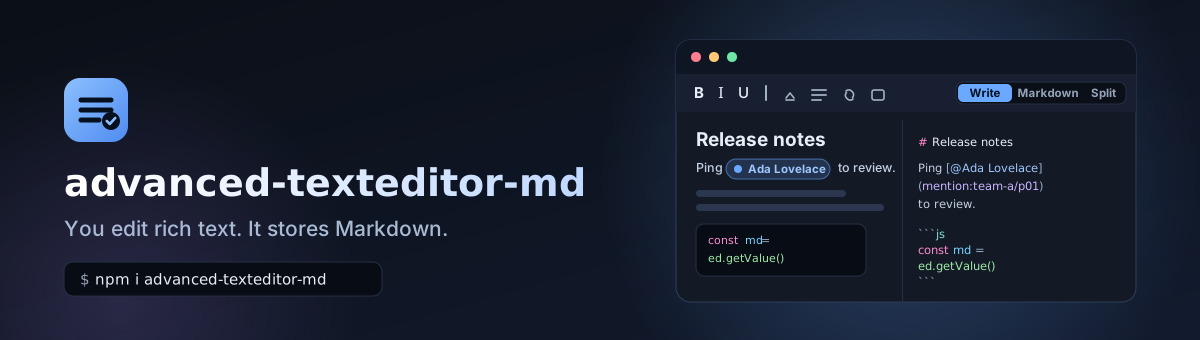
You edit rich text. It stores Markdown.

A dependency-free WYSIWYG editor with mentions, uploads, math, code highlighting, embeds, plugins and syntax of your own. Plain CSS with variables, an optional Tailwind v4 bridge, six layouts and five themes.

npm install advanced-texteditor-md
  • npmv0.4.1
  • gzip63.0 kB
  • dependencies0
  • typesincluded
  • licenseMIT

Playground#

The real library, every layout, theme and mode. Type @ to mention someone, / for blocks, or drop an image. The Markdown below is exactly what getValue() returns.

Layout
Editor theme
Mode
0 words, 0 characters

What you get#

One small package, no framework, and the features you would otherwise assemble by hand.

  • Stores Markdown, always

    You edit rendered content; getValue() is plain GFM plus mentions, chips, math and your own syntax. HTML is never the stored form.

  • Zero dependencies

    No runtime dependencies and no eval. Raw HTML in Markdown is never interpreted.

  • Six layouts, five themes

    Classic, minimal, bubble, bottom-bar, split and document, in light, dark, sepia, slate and high contrast.

  • Mentions and chips

    A combobox menu with badges, colours and grouping. One person known to two systems is one chip that carries both ids.

  • Uploads with guardrails

    Allow and deny lists, size and count limits, progress and abort, and a link policy for the returned URL.

  • Math and code

    A built-in TeX subset rendered to MathML, and ten tiny language modules for highlighting, each under 2 kB gzip.

  • Embeds and link previews

    Hover cards, link cards and sandboxed iframes for known providers. The resolver runs on your server.

  • Plugins and your own syntax

    Add syntax, toolbar buttons, slash entries, commands and hooks. Define a delimiter, a tag and a class and it works everywhere.

  • Accessible by default

    An ARIA toolbar, a combobox mention menu, managed focus and live regions. axe-checked in CI across layouts and themes.

  • Lazy by design

    Popovers, slash menu, uploads, math, rich links and the Markdown pane are separate chunks that load on first use.

  • Server-safe

    Every entry imports on a server; only createEditor touches document. renderHtml is pure string output.

  • Tailwind-friendly

    Plain CSS driven by --atm-* variables, an optional Tailwind v4 bridge, and classNames for every slot.

Features, live#

Each card is a small editor you can use, with the code that configures it. They load when you scroll to them.

Mentions with badges and colours

Type @ and search. Each kind of mention gets its own colour and badge, and one person known to two systems is a single chip that carries both ids.
[]

Click in the editor, type @ and a letter. Stored as [@Name](mention:kind/id?refs).

Uploads with allow and deny lists

Drop, paste or pick files. They are validated first (size, count, extension, MIME), uploaded with progress, and the returned URL is checked against the link policy.

    Nothing leaves the page: the handler here stores files in memory. Edit the lists, then try the buttons. The deny list always wins.

    Math, rendered to MathML

    Inline $x^2$ and $$ blocks go through a built-in TeX subset renderer that loads on first use. No fonts or scripts to add.

    Edit the formulas: the source is plain Markdown.

    Code highlighting

    Ten languages, each under 2 kB gzip, imported one by one. Colours follow the theme.

    The language is the fence info: js, python, sql, css, json, bash, yaml, html, typescript, markdown.

    Link previews and embeds

    A URL alone on a line becomes a card once the caret leaves it; links in text show a hover card. Providers turn known URLs into sandboxed iframes.

    The resolver is fake here. A real one must run on your server. Put the caret on another line to see the card.

    Plugins

    A plugin adds syntax, toolbar buttons, slash-menu entries, commands and hooks. Ready-made ones ship in /plugins; this card also has one written in a few lines.

    Try the calendar button in the toolbar, or / and "Today's date".

    Your own syntax

    Define a delimiter, a tag and a class, and it works in the parser, the stringifier, the renderer and the WYSIWYG surface at once. Try your own below.

    defineInlineSyntax({ name: "custom", open: "||", tag: "span", className: "spoiler" })

    Pick a delimiter (not * _ ` ~), a tag and a class, then Apply.

    Drafts

    The drafts plugin autosaves after a pause and offers the text back on the next visit. Another tab changing it raises a Sync / Ignore banner; nothing is replaced silently.

    Type something, wait a second, then reload the page.

    Find and replace

    A find bar with match case, whole word and regular expressions. Replace all is one undo step. Catastrophic patterns are refused rather than run.

    Focus the editor and press Ctrl or Cmd + F, or use the button.

    Images, captions and resizing

    Alignment and width live in the alt text and the caption in the title, so any Markdown viewer still shows a normal image.

    Click the image: drag a corner (or Shift+Arrow) to resize, and use its toolbar for alignment, caption and alt text.

    Block handles

    A drag handle appears beside the hovered or focused block. Alt+Arrow moves it, and its menu can duplicate, delete or turn the block into something else.

    Hover a paragraph, or press Alt+Shift+H. Handles never reach the Markdown.

    Collapsible sections

    A container block that renders as details and summary. The summary is editable; Enter or a click on the marker toggles it.

    The open state while editing is a view state and never changes the Markdown.

    Themes, tokens and Tailwind

    Five themes, a handful of tokens per editor, plain CSS variables, and an optional bridge that maps them onto Tailwind v4 utilities. A theme or a token change applies in place.
    Preset

    The tokens sit on top of the light palette. Everything is a --atm-* variable you can also set in CSS.

    Install#

    Pick your package manager. Plain TypeScript or JavaScript, any bundler that supports import().

    Add it

    The main entry is the editor plus the parser and renderers. Everything else is a subpath, so you only pay for what you import.

    npm install advanced-texteditor-md

    Render on a server

    Server-only use never needs the editor.

    render.ts
    import { renderHtml } from "advanced-texteditor-md/render";
    // Pure string output, safe on a server. Raw HTML in the Markdown is never interpreted.const html = renderHtml(markdown, { links: { allowedHosts: ["example.com"] } });
    quick-start.ts
    import { createEditor } from "advanced-texteditor-md";import "advanced-texteditor-md/style.css"; // or style.min.css, or tailwind.css
    const editor = createEditor(document.getElementById("editor")!, {  value: "# Hello\n\nSome **bold** text.",  placeholder: "Write something...",  onChange: (markdown) => save(markdown),});
    editor.getValue();        // Markdown, the only stored formeditor.setValue("# New"); // does not fire onChangeeditor.getHtml();         // sanitised HTML of the current documenteditor.destroy();

    Keyboard shortcuts#

    Mod is Cmd on macOS and Ctrl elsewhere. The toolbar shows the right one for your platform, and every binding can be overridden with keymap.

    Text

    Bold
    ModB
    Italic
    ModI
    Strikethrough
    ModShiftX
    Inline code
    ModE
    Link
    ModK
    Clear formatting
    Mod\

    Blocks

    Heading 1 to 6
    ModAlt1…6
    Paragraph
    ModAlt0
    Bulleted list
    ModShift8
    Numbered list
    ModShift7
    Task list
    ModShiftL
    Quote
    ModShift9
    Code block
    ModAltC
    Math block
    ModShiftM

    Everything else

    Undo
    ModZ
    Redo
    ModShiftZ
    Mention
    @
    Slash menu
    /
    Find (plugin)
    ModF
    Block handle
    AltShiftH
    Move a block
    Alt↑ / ↓
    Image toolbar
    AltF10
    Submit (bottom-bar)
    ModEnter

    How it compares#

    Measured, not guessed. These are toolkits with a different job: read the notes before choosing.

    Comparison with Tiptap, Lexical and Milkdown
    Measureadvanced-texteditor-mdTiptapLexicalMilkdown
    Initial JS, gzip62.4 kB (106.6 kB with every lazy chunk, which load on first use)139.4 kB137.3 kB137.0 kB
    Transitive dependencies of that setup04419146
    MarkdownThe stored document, alwaysA separate package, @tiptap/markdown (built on marked)A separate package, @lexical/markdownBuilt on remark and unified
    Toolbar, slash menu, mentions, uploads in that numberIncluded (toolbar and slash menu eager, the rest lazy)Not: headless, you build themNot: headlessNot: headless

    Measured 2026-10-02: the smallest setup of each library that creates an editor holding a Markdown document, bundled with esbuild, then gzip -9 of the initial JavaScript. The others are toolkits and their numbers are for a bare editor with no toolbar or UI. We have not compared speed, memory, accessibility or editing quality. Choose Tiptap, Lexical or Milkdown instead when you need real-time collaboration, a document model beyond Markdown, a large extension ecosystem or years of production use. Choose this package when Markdown must stay the stored form, you want zero dependencies and a small first download.

    Browser support#

    contenteditable, selection and clipboard differ most across engines, so every editing spec runs on all three.

    Browser support matrix
    EngineTested howVersions
    Chromium (Chrome, Edge)Playwright, desktop and a Pixel 7 mobile emulation, every specPlaywright's bundled Chromium (current stable)
    FirefoxPlaywright, every editing specPlaywright's bundled Firefox (current stable)
    WebKit (Safari)Playwright, every editing specPlaywright's bundled WebKit (current stable)
    iOS Safari, Android ChromeNot run on real devices. Mobile emulation onlyNot claimed

    The code targets ES2020, Selection and ResizeObserver. The engine differences the editor smooths over are listed in the Decisions doc.

    Roadmap and known gaps#

    An honest list, taken from the architecture and decisions docs.

    • Out of scope

      Collaboration and rich document models. Collaborative editing, comments and suggestions, nested block drag-and-drop, HTML passthrough, and a footnote editing UI beyond text are not planned for 0.x.

    • Known gap

      No OS emoji panel. A web page cannot open it. The button explains the shortcut, and emoji.open lets you plug your own picker.

    • Known gap

      Real devices. iOS and Android are emulated, not run. Report what you see.

    • Known gap

      Link-preview and embed fetching is yours. resolve must run on your server: SSRF protection is not something a browser library can do.

    • Known gap

      Plugin toolbar items on a phone. A custom item with its own render (the text-colour swatch) does nothing from the narrow toolbar's More menu yet.

    • Limit

      Size. The editor entry is about 62 kB gzip against a 48 kB target; the last 13 kB cannot be lazy without making typing asynchronous.

    • Pre-1.0

      The API can still change. Between minor versions. The changelog says what moved.

    FAQ#

    Can the emoji button open the OS emoji panel?

    No: a web page cannot open it. The button focuses the editor and shows the shortcut (macOS Ctrl Cmd Space, Windows Win ., Linux Ctrl .); the characters then arrive as normal text.

    To use your own picker pass emoji: { open: (editor) => ... }, or emoji: false to remove the button. No emoji data ships in the package.

    Does the editor store HTML?

    Never. getValue() is Markdown and the only stored form. getHtml() is a sanitised view of the current document.

    Why is a pasted table or a plugin missing from getHtml() right after load?

    Some features are lazy chunks. Await preloadChunks() if you need them synchronously.

    Why does my formula show as source for a moment?

    The math renderer is a lazy chunk, so the first formula waits for it. Pass your own math.renderer, or preloadChunks(), to avoid the wait.

    Does the library collect any data?

    No. It makes no network request on its own, loads no script and sends no telemetry. This demo site counts visits with a cookieless service and uses Google Analytics only if you accept; see the Privacy page.

    Is there a React version?

    Yes: react-advanced-texteditor-md wraps this editor in a controlled or uncontrolled component, a server-component friendly renderer and hooks.