react-advanced-texteditor-md

React bindings · v0.3.2 · MIT

A React editor that stores Markdown.

<MarkdownEditor /> (controlled or uncontrolled), <MarkdownView /> that renders as real React elements and works in Server Components, and hooks. Built on advanced-texteditor-md.

npm install react-advanced-texteditor-md
  • npmv0.3.2
  • wrapper5.7 kB gzip
  • server view4.4 kB gzip
  • react17 to 19
  • licenseMIT

Playground#

The real <MarkdownEditor />, controlled, with every layout, theme and mode. Type @ to mention someone, / for blocks. The output tabs show what is stored, the HTML, the same Markdown through MarkdownView, and the JSX you would write.

Layout
Editor theme
Mode

A React editor

Write rich text, store Markdown. Mention @Ada LovelaceStaff from staff, or @Alan TuringGuest who is a guest.

==Highlighted text== comes from a plugin, H~2~O and x^2^ from another, press [[Ctrl]] [[K]] for a link.

::: tip Callouts are a block syntax: ::: tip ... :::. :::

Quarterly results
Q1 to Q3

Inline math E = mc^2 and a block:

\int_0^1 x^2\,dx = \frac{1}{3}
export const Comment = () => <MarkdownEditor value={md} onChange={setMd} />;
FeatureStatus
Controlledyes
Server renderingyes
  • Mentions
  • Your idea
0 words, 0 characters
# A React editor

Write **rich text**, *store* Markdown. Mention [@Ada Lovelace](mention:staff/u01?legacy=100) from staff, or [@Alan Turing](mention:guest/u02?legacy=101) who is a guest.

==Highlighted text== comes from a plugin, H~2~O and x^2^ from another, press [[Ctrl]] [[K]] for a link.

::: tip
Callouts are a block syntax: `::: tip` ... `:::`.
:::

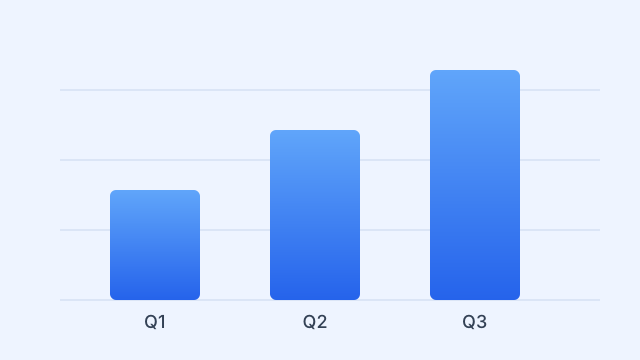
![Quarterly results|center|360](/react-advanced-texteditor-md/sample.svg "Q1 to Q3")

Inline math $E = mc^2$ and a block:

$$
\int_0^1 x^2\,dx = \frac{1}{3}
$$

```tsx
export const Comment = () => <MarkdownEditor value={md} onChange={setMd} />;
```

| Feature | Status |
| :------ | -----: |
| Controlled | yes |
| Server rendering | yes |

- [x] Mentions
- [ ] Your idea

What you get#

Correct React semantics on top of a small, dependency-free editor.

  • Real React semantics

    The editor is created in an effect and destroyed in its cleanup (StrictMode-safe), updated in place where the core allows it, and recreated only when a structural option changes.

  • Controlled or uncontrolled

    Own the string with value and onChange, or give it a defaultValue and read it through a ref that is the core's full editor API.

  • MarkdownView

    Renders Markdown as real React elements, with no dangerouslySetInnerHTML for your text. Each block is memoised, so editing one paragraph re-renders one paragraph.

  • Server Components

    react-advanced-texteditor-md/view has no hooks, so a Server Component can render it, and it ships no editor code to the browser.

  • Three hooks

    useMarkdownEditor for headless layouts, useEditorState to read editor state, and useEditorValue for the current Markdown.

  • No memoising needed

    Options are compared by value, so inline plugins and objects are fine, and callbacks may change identity on every render: the latest one is always called.

  • Six layouts, five themes

    Classic, minimal, bubble, bottom-bar, split and document, in light, dark, sepia, slate and high contrast. A theme or token change applies in place.

  • Mentions, uploads, plugins

    Everything in the core editor: mentions with badges and colours, uploads with allow and deny lists, math, highlighting, embeds and syntax of your own.

  • Comment boxes

    The bottom-bar layout has an actions slot. React children are portalled into it, so state, context and events just work.

  • Tailwind v4

    An optional bridge maps the editor's variables onto Tailwind theme tokens, and every slot takes utilities through classNames.

  • Safe by default

    Raw HTML in Markdown is never interpreted, unsafe URLs are refused by the same link policy as the core, and a test runs a list of payloads through it.

  • Small wrapper

    About 5.4 kB gzip, the renderer another 4.3 kB. The editor itself is the core's separate, lazily loaded download. React 17 or newer.

Demos, live#

Each card is a real component with the exact source beside it: the code panel is the demo's own file, read at build time, so it cannot drift from what runs.

Controlled

You own the string. onChange fires for edits the user makes, never for value updates, so state echoing back cannot loop and undo keeps working.

Controlled

React state owns this string. Edit here and watch it below.

  • no memoising needed
  • your idea
## Controlled

React state owns this string. Edit here and watch it below.

- [x] no memoising needed
- [ ] your idea

Uncontrolled, with a ref

Give it a defaultValue and let it own the document. The ref is the core's full editor API, as one object that never changes identity.

Uncontrolled: the editor owns the document.

Read it back through the ref.

getValue() will appear here

MarkdownView

Renders Markdown as React elements, not an HTML string. Each block is memoised, so editing one paragraph re-renders one paragraph.

Live preview

Type here. The block below is a MarkdownView, re-rendering only the blocks that changed.

Quotes, code, tables and math work too: a^2 + b^2 = c^2.

Live preview

Type here. The block below is a MarkdownView, re-rendering only the blocks that changed.

Quotes, code, tables and math work too: a2+b2=c2a^2 + b^2 = c^2.

Server rendering

react-advanced-texteditor-md/view has no hooks, so a Server Component can render it. This block was rendered once, at build time, and ships no editor code.

Rendered on the server

MarkdownView from react-advanced-texteditor-md/view has no hooks and no effects, so a Server Component can render it. It ships no editor code to the browser.

  • Mentions render as chips: @Ada LovelaceStaff and @Alan TuringGuest
  • Code is highlighted by the core's highlighter, on the server:
export const add = (a: number, b: number): number => a + b; // 0 kB of JS for this block

Rendered at build time:

useMarkdownEditor (headless)

For layouts the component does not give you: attach the ref where the editor should mount and draw everything else yourself.
0 words (empty)

Mentions with badges and colours

Type @. Each kind gets a colour and a badge; the stored form is [@Name](mention:kind/id?refs).

Ping @Ada LovelaceStaff and type @ for more.

Mentioned: u01

Uploads with allow and deny lists

Files are validated (size, count, extension, MIME) before the handler runs. Nothing leaves the page here: the uploader stores files in memory.

Drop a file here, or use the buttons below.

    Plugins and custom syntax

    Ready-made plugins from the core, one written in a few lines, and an inline syntax of your own (||spoiler||).

    ==Highlighted== text, H~2~O and x^2^, press [[Ctrl]] [[K]].

    A spoiler from custom syntax.

    ::: tip A callout is a block syntax from a plugin. :::

    Theming

    Five themes through data-atm-theme, or tokens through the theme prop. Both change in place: the editor is not rebuilt.

    Theming

    Pick a theme, or turn on custom tokens and change the accent. Mention @Ada too.

    Tailwind v4

    The core's bridge maps the editor's variables onto theme tokens, and every slot takes utilities through classNames. This card is styled that way.

    Utility classes

    Every slot takes Tailwind classes through classNames, and bg-atm-surface, text-atm-fg and friends follow the editor's theme.

    Comment box

    The bottom-bar layout has an actions slot. React children are portalled into it, so state, context and events just work.
    • First! Markdown works here too.

    Install#

    advanced-texteditor-md is a regular dependency and installs with it. react and react-dom (17 or newer) are peer dependencies.

    Add it

    The stylesheet is not bundled into this package, so it is never shipped twice: import the core's once.

    npm install react-advanced-texteditor-md

    Vite, or any bundler

    Import the stylesheet once, anywhere.

    comment.tsx
    import { useState } from "react";import { MarkdownEditor } from "react-advanced-texteditor-md";import "advanced-texteditor-md/style.css"; // the editor's stylesheet: import it once, anywhere
    export function Comment() {  const [markdown, setMarkdown] = useState("# Hello\n\nWrite **Markdown** visually.");  return <MarkdownEditor value={markdown} onChange={setMarkdown} placeholder="Write something..." minHeight={160} />;}
    next-app-router.tsx
    // app/page.tsx  (a Server Component: no "use client" needed here)import { MarkdownView } from "react-advanced-texteditor-md/view"; // server-safe rendererimport { Composer } from "./composer";
    export default async function Page() {  const post = await loadPost();  return (    <>      <MarkdownView markdown={post.body} />      <Composer initial={post.draft} />    </>  );}
    // app/composer.tsx"use client"; // handlers are functions, so the component that passes them is a Client Componentimport { useState } from "react";import { MarkdownEditor } from "react-advanced-texteditor-md";
    export function Composer({ initial }: { initial: string }) {  const [md, setMd] = useState(initial);  return <MarkdownEditor value={md} onChange={setMd} />;}

    Keyboard shortcuts#

    Mod is Cmd on macOS and Ctrl elsewhere. They are the core editor's, so every binding can be overridden with keymap.

    Text

    Bold
    ModB
    Italic
    ModI
    Strikethrough
    ModShiftX
    Inline code
    ModE
    Link
    ModK
    Clear formatting
    Mod\

    Blocks

    Heading 1 to 6
    ModAlt1…6
    Paragraph
    ModAlt0
    Bulleted list
    ModShift8
    Numbered list
    ModShift7
    Task list
    ModShiftL
    Quote
    ModShift9
    Code block
    ModAltC
    Math block
    ModShiftM

    Everything else

    Undo
    ModZ
    Redo
    ModShiftZ
    Mention
    @
    Slash menu
    /
    Find (plugin)
    ModF
    Block handle
    AltShiftH
    Move a block
    Alt↑ / ↓
    Image toolbar
    AltF10
    Submit (bottom-bar)
    ModEnter

    Size and how it compares#

    The wrapper is small because the editor is the core's separate, lazily loaded download.

    Size of each piece
    PieceGzipBudget
    react-advanced-texteditor-md (editor, hooks, client MarkdownView)5.5 kB6 kB
    react-advanced-texteditor-md/view (server-safe renderer)4.3 kB5 kB
    The core's editor entry that the wrapper loadsabout 62 kB, with more chunks on first useThe core's budget

    Measured 2026-10-02 (gzip -9, npm run size, which excludes the core). For the whole editor against Tiptap, Lexical and Milkdown, with the method and versions, see the core's comparison: the initial JavaScript of a Markdown-holding editor was 62.4 kB gzip here against 139.4 kB (Tiptap), 137.3 kB (Lexical) and 137.0 kB (Milkdown), the others being headless toolkits. Those libraries also have React bindings of their own and capabilities this one lacks (real-time collaboration, a larger ecosystem, a longer track record); we did not measure rendering speed or editing quality and make no claim about them.

    Browser and React support#

    The wrapper adds no browser requirement of its own: it needs what the core editor needs, and React 17 or newer.

    Support matrix
    WhatTested how
    Chromium, desktop and a Pixel 7 emulationPlaywright against the example app and this site, in CI
    React 19The unit, integration, SSR and hydration suites, and both apps
    React 17 and 18Designed for (a stand-in replaces useSyncExternalStore on 17); not in the CI matrix
    Firefox, WebKitCovered by the core's own Playwright suite, not re-run here
    Node 20, 22, 24CI matrix: typecheck, tests, build, size
    Real iOS and Android devicesNot run

    Roadmap and known gaps#

    An honest list, taken from the README.

    • Known gap

      Depends on a published core. advanced-texteditor-md is a regular dependency, so this package cannot be installed from the registry until the core is.

    • Known gap

      Controlled mode and a rejected change. React gives the component no signal when a parent refuses an update, so call ref.current.setValue(previous) yourself.

    • Limit

      Structural options recreate the editor. Changing layout, plugins or syntax recreates the editor, and the undo history does not survive that. The Markdown, mode and focus do.

    • Limit

      React 17 and 18. Supported by design but not exercised in CI; only React 19 is.

    • Known gap

      Tailwind preflight. It removes list markers unless you add the three CSS lines shown in the README (a core stylesheet matter).

    • Out of scope

      Everything the core lacks. Collaborative editing, comments and suggestions and nested block drag-and-drop are not planned for 0.x. The core's roadmap applies here too.

    • Pre-1.0

      The API can still change. Between minor versions. The changelog says what moved.

    FAQ#

    Can the emoji button open the OS emoji panel?

    No: a web page cannot open it. The button focuses the editor and shows the shortcut (macOS Ctrl Cmd Space, Windows Win ., Linux Ctrl .); the characters then arrive as normal text.

    To use your own picker pass emoji: { open: (editor) => ... }, or emoji: false to remove the button. No emoji data ships in the package.

    Do I need useMemo or useCallback for props?

    No. Options are compared by value, so inline objects and plugins are fine, and callbacks may change identity on every render.

    Why did the editor lose my undo history?

    A structural option (layout, plugins, ...) changed and the editor was recreated. The Markdown, mode and focus are kept, the history is not. Changing value, theme, readOnly or mode never does that.

    onChange does not fire when I call setValue

    By design, and it is the core's contract: onChange is for user edits, so setting a value from state can never loop.

    Can I use it in a Server Component?

    react-advanced-texteditor-md/view has no hooks and no directive, so render MarkdownView anywhere. The editor itself is a client component: import it from the main entry and use it as a leaf.

    Which React versions?

    17 and newer. Hydration with the static copy and useSyncExternalStore are designed for 18 and 19; on 17 a built-in stand-in replaces useSyncExternalStore. StrictMode and the React Compiler are fine.

    Where is the CSS?

    In the core: advanced-texteditor-md/style.css. It is never bundled into this package, so it is never shipped twice.

    Does the library collect any data?

    No. It makes no network request on its own, loads no script and sends no telemetry. This demo site counts visits with a cookieless service and uses Google Analytics only if you accept; see the Privacy page.